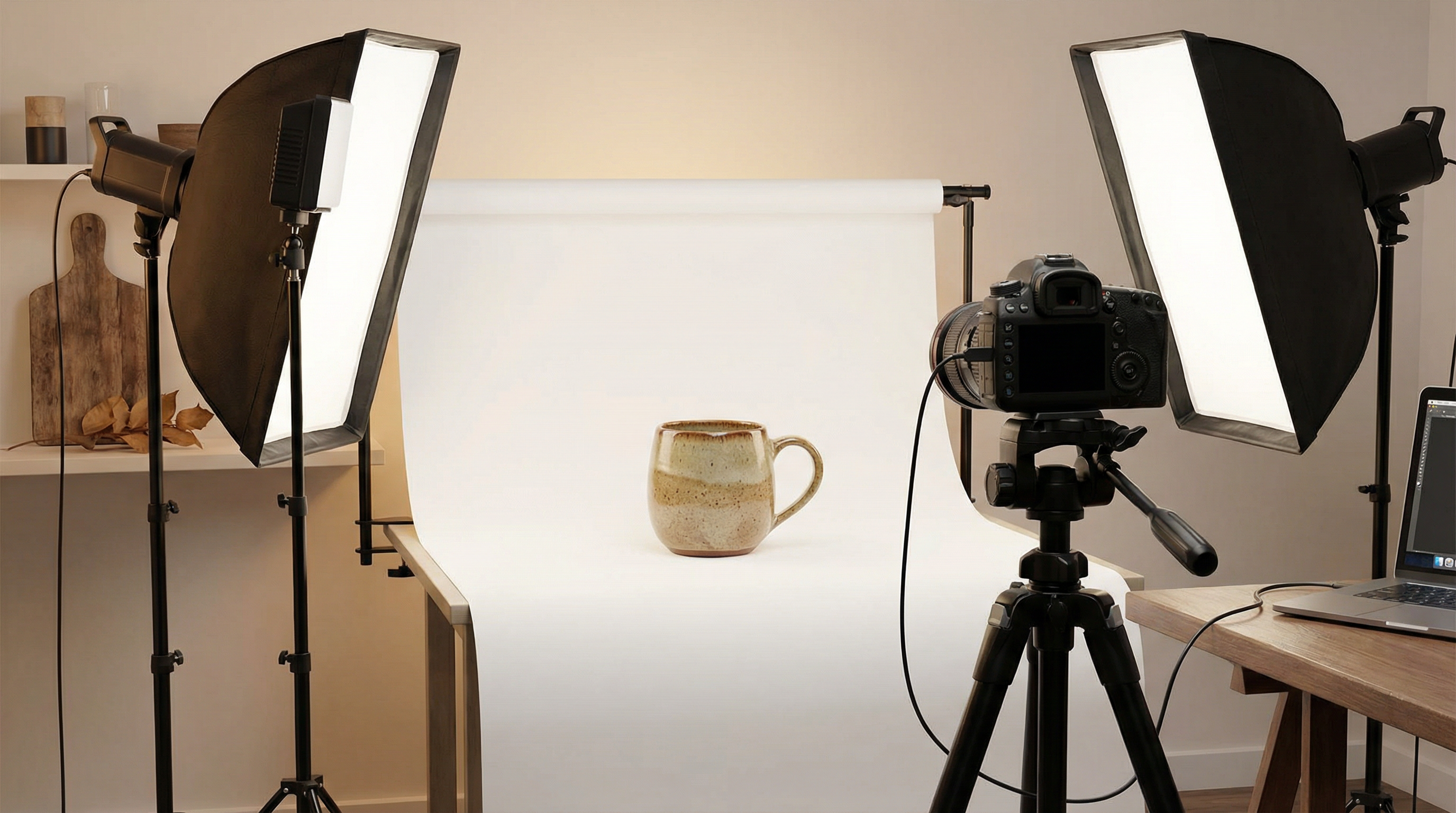
 A professional product photography setup showing the ideal workspace for creating Etsy-ready listing images
Your Etsy listing photos are the single most important factor determining whether shoppers click on your product or scroll past it. Etsy's own research confirms that listing image quality is the number one factor buyers consider when deciding which listing to click in search results. Yet thousands of sellers unknowingly upload images that fail to meet Etsy's technical requirements, resulting in blurry thumbnails, suppressed search visibility, and lost sales.
Unlike Amazon's rigid white-background mandate, Etsy gives sellers creative freedom with their product photography. That freedom, however, comes with specific technical specifications that directly affect how your products appear in search results, category pages, and mobile browsing. Getting these specifications wrong means your handcrafted jewelry, vintage finds, or custom artwork won't display at its best—regardless of how beautiful the product actually is.
This guide covers every Etsy product photo requirement for 2026, from exact pixel dimensions and file format specifications to thumbnail cropping behavior and optimization strategies that improve both search ranking and conversion rates. Whether you're launching your first Etsy shop or optimizing an established store with hundreds of listings, these requirements apply to every product you sell.
Etsy Listing Photo Size Requirements: The Complete Specifications
Etsy's image requirements have evolved significantly over the past few years, and the 2026 specifications reflect the platform's emphasis on high-resolution imagery that performs well across desktop, tablet, and mobile devices. Understanding these exact specifications prevents the most common upload errors that new sellers encounter.
Recommended Dimensions and Resolution
Etsy officially recommends that listing photos have a width and height of at least 2,000 pixels. This recommendation isn't arbitrary—images at this resolution enable Etsy's zoom functionality, which allows shoppers to examine product details by hovering over the image on desktop or pinching to zoom on mobile. Sellers who tested images at the 2,000–2,400 pixel range reported a 31% higher click-through rate compared to listings with smaller images, according to a study of 84 Etsy listings conducted in early 2025.
The minimum requirement for your first listing photo is 635 pixels on both width and height. Images below this threshold may still upload, but Etsy explicitly warns that listings with first photos below 635 pixels may appear lower in search results. This is one of the few cases where Etsy directly ties image specifications to search ranking.
For resolution, Etsy recommends 72 PPI (pixels per inch), which is the standard for web display. Higher PPI values don't improve how images appear on screen—they only increase file size unnecessarily. If your camera or editing software exports at 300 PPI (the print standard), resize to 72 PPI before uploading to keep file sizes manageable.
File Format and Size Limits
Etsy accepts five image file formats, each with specific characteristics that affect how your product appears on the platform.
| Format | Best For | Transparency | Notes |
|---|---|---|---|
| JPEG (.jpg) | Product photos | No | Smallest file size, best for photographs |
| PNG (.png) | Graphics, text overlays | Yes (but displays black on Etsy) | Larger files, lossless quality |
| GIF (.gif) | Simple graphics | No (animated GIFs not supported) | Limited color palette |
| SVG (.svg) | Vector graphics | Yes | Scalable without quality loss |
| HEIC (.heic) | iPhone photos | No | Native Apple format, auto-converted |
The critical detail most sellers miss: Etsy does not support transparent PNG backgrounds. If you upload a PNG with a transparent background, the transparent areas will render as solid black on your listing. This catches many sellers off guard, particularly those who use background removal tools and forget to add a white or colored background before uploading.
For file size, Etsy recommends keeping images under 1 MB. Images larger than 1 MB may not finish uploading, especially on slower internet connections. This creates a practical challenge: you need high-resolution images (2,000+ pixels) that stay under 1 MB. The solution is proper compression—JPEG at 80–85% quality typically achieves this balance without visible quality loss.
How Many Photos Can You Upload Per Listing?
Each Etsy listing supports up to 10 photos. Your first photo serves as the primary listing image—it appears in search results, category pages, and your shop's product grid. The remaining nine photos provide additional angles, detail shots, size references, and lifestyle context.
Etsy also supports one listing video per product, which appears alongside your photos. Videos can be up to 15 seconds long and 100 MB in file size, providing an additional way to showcase your product's features, texture, and scale.
How Etsy Crops Your Thumbnails (And Why It Matters)
Understanding Etsy's thumbnail cropping behavior is essential for creating images that look great everywhere on the platform. Etsy displays your listing photos in three different crop formats depending on where the image appears.
The Three Thumbnail Crops
Etsy automatically generates square, landscape, and portrait thumbnail crops from your original image. Your first listing photo must work well in all three formats because Etsy uses different crops in different contexts:
- Square crop appears in your shop's product grid and some category views
- Landscape crop appears in search results and promoted listings
- Portrait crop appears in certain mobile views and collection displays
This multi-crop behavior is why Etsy strongly recommends uploading horizontal (landscape) or square images as your first listing photo. Vertical (portrait) images lose significant content when cropped to landscape or square formats, potentially cutting off important parts of your product.
The Practical Rule: Center Your Product
The safest approach is to photograph your product centered in the frame with generous negative space (empty background) around all edges. This ensures that regardless of how Etsy crops the thumbnail, your complete product remains visible. Etsy's listing thumbnail adjustment tool lets you preview and fine-tune how your image appears in each crop format before publishing.
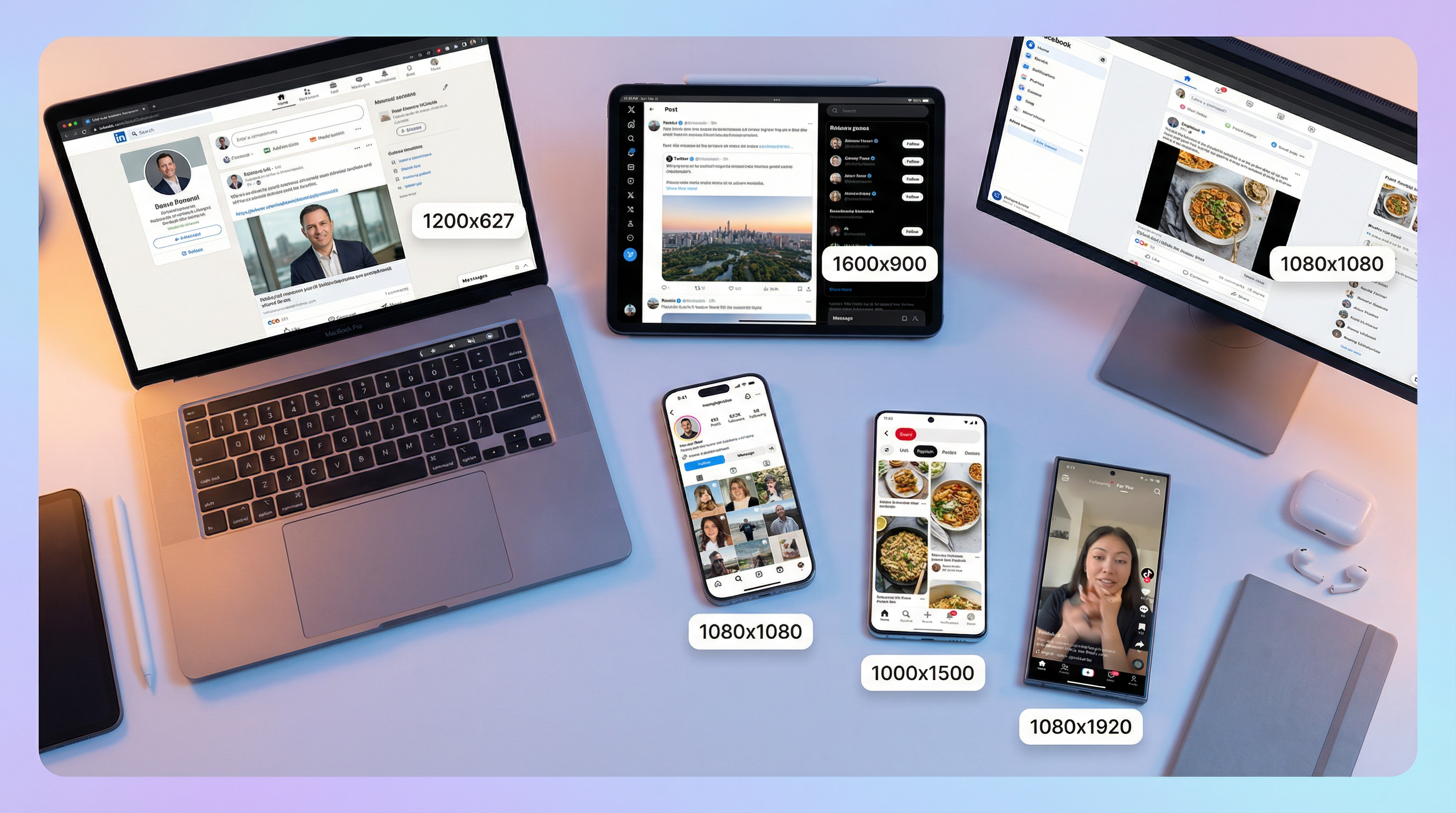
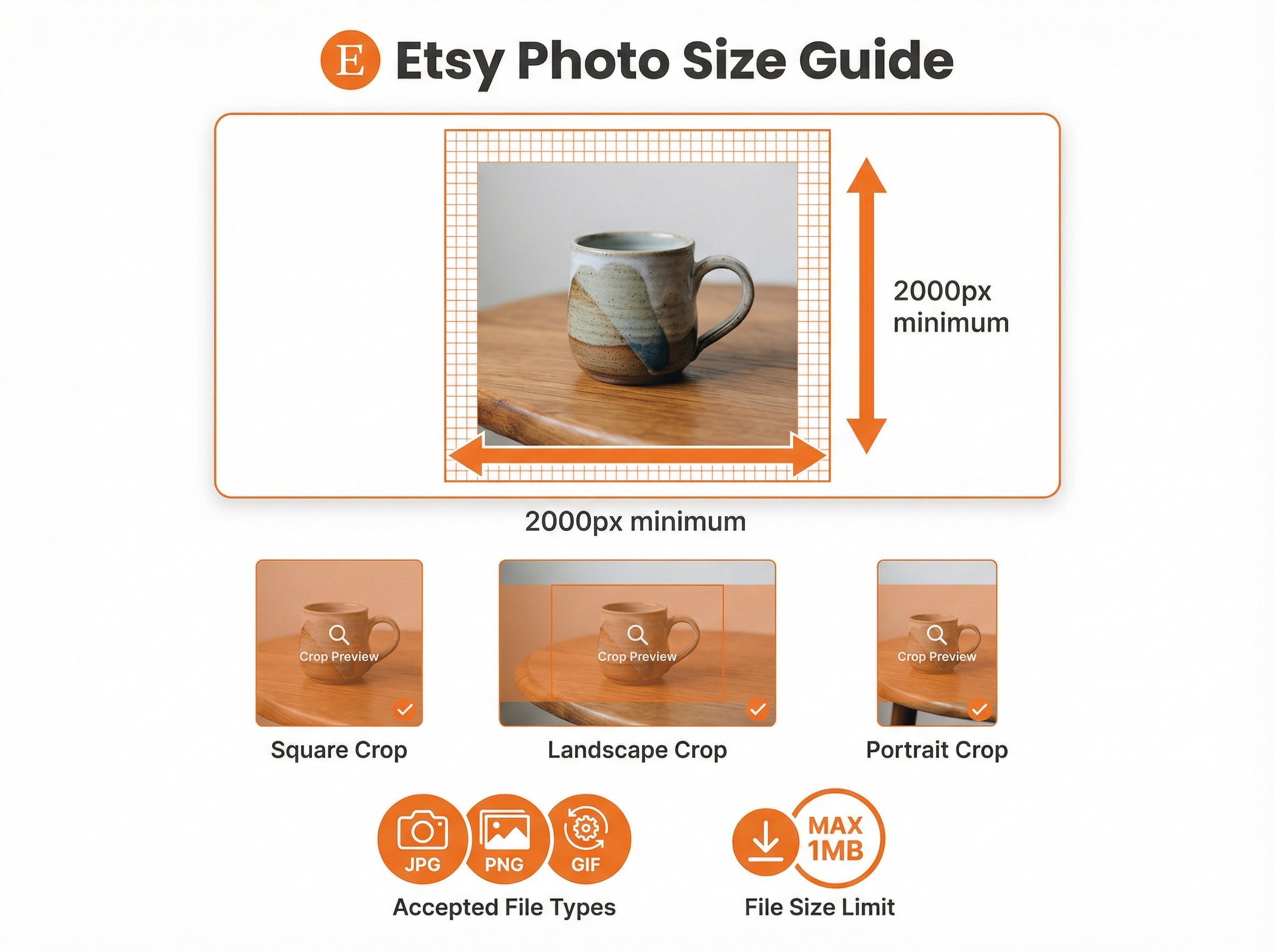 Etsy's recommended photo dimensions with examples of square, landscape, and portrait thumbnail crops
Etsy Product Photo Requirements by Image Type
Beyond listing photos, Etsy requires specific dimensions for various shop branding images. Meeting these specifications ensures your entire shop presents a professional, cohesive appearance.
| Image Type | Minimum Size | Recommended Size | Aspect Ratio |
|---|---|---|---|
| Listing photos | 635 x 635 px | 2,000 x 2,000 px+ | 4:3 or 1:1 |
| Shop icon | 500 x 500 px | 500 x 500 px | 1:1 (square) |
| Profile photo | 400 x 400 px | 400 x 400 px | 1:1 (square) |
| Mini shop banner | 1,200 x 160 px | 1,600 x 213 px | ~7.5:1 |
| Big shop banner | 1,200 x 300 px | 1,600 x 400 px | 4:1 |
| Carousel banner | 1,200 x 300 px | 1,200 x 300 px | 4:1 |
| Order receipt banner | 760 x 100 px | 760 x 100 px | ~7.6:1 |
Carousel and collage banners are exclusive to Etsy Plus subscribers ($10/month). If you're on the free plan, focus on optimizing your mini or big shop banner, shop icon, and profile photo.
Background Choices: White, Styled, or Removed?
Unlike Amazon's strict pure-white-background requirement, Etsy allows creative freedom with product photo backgrounds. However, your background choice significantly impacts click-through rates, perceived product value, and search performance.
When to Use White Backgrounds
White backgrounds work best for products that need to stand out clearly against any page design: jewelry, electronics, tools, and products competing in categories where clean presentation signals professionalism. White backgrounds also perform well when your products are listed on external channels through Etsy's integrations with Google Shopping, Facebook Marketplace, and Pinterest—platforms that often favor clean, distraction-free product imagery.
When to Use Styled Backgrounds
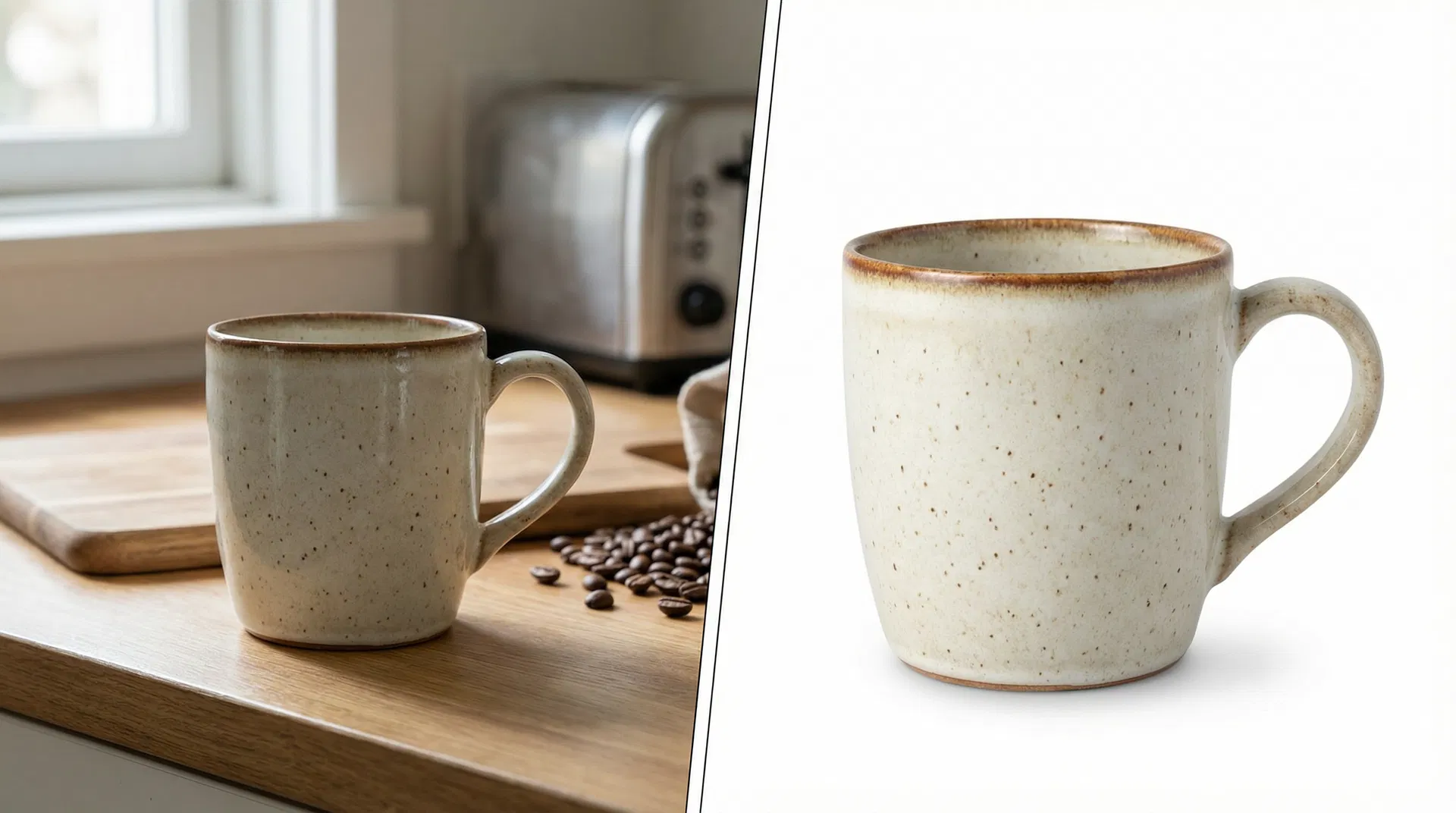
Lifestyle and styled backgrounds excel for handmade items, vintage goods, art prints, and products where context adds value. A hand-thrown ceramic mug photographed on a rustic wooden table with morning light tells a story that a white background cannot. Etsy shoppers specifically seek unique, handcrafted items, and styled photography reinforces the artisanal quality that differentiates Etsy products from mass-market alternatives.
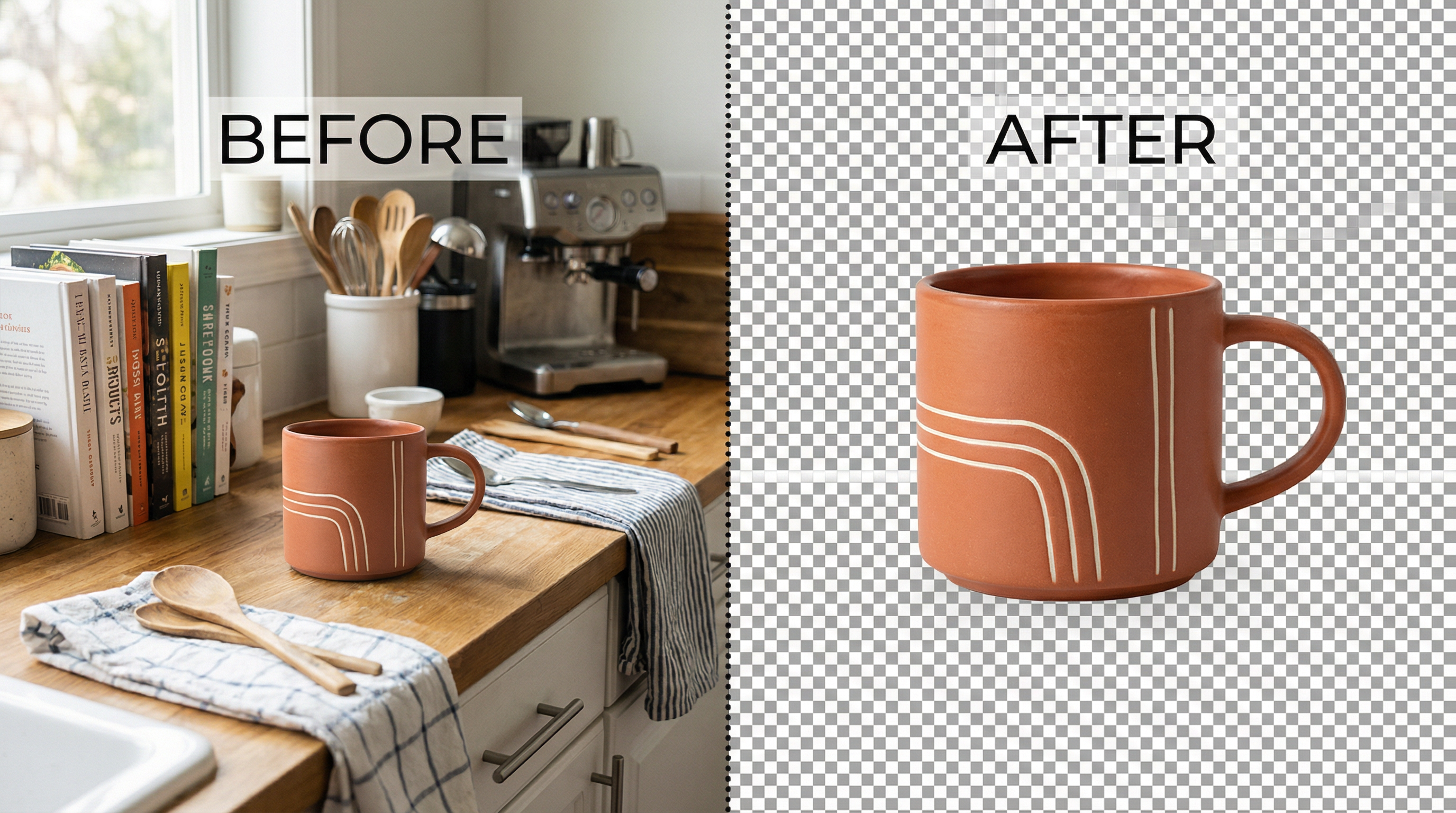
Using Background Removal Tools for Etsy
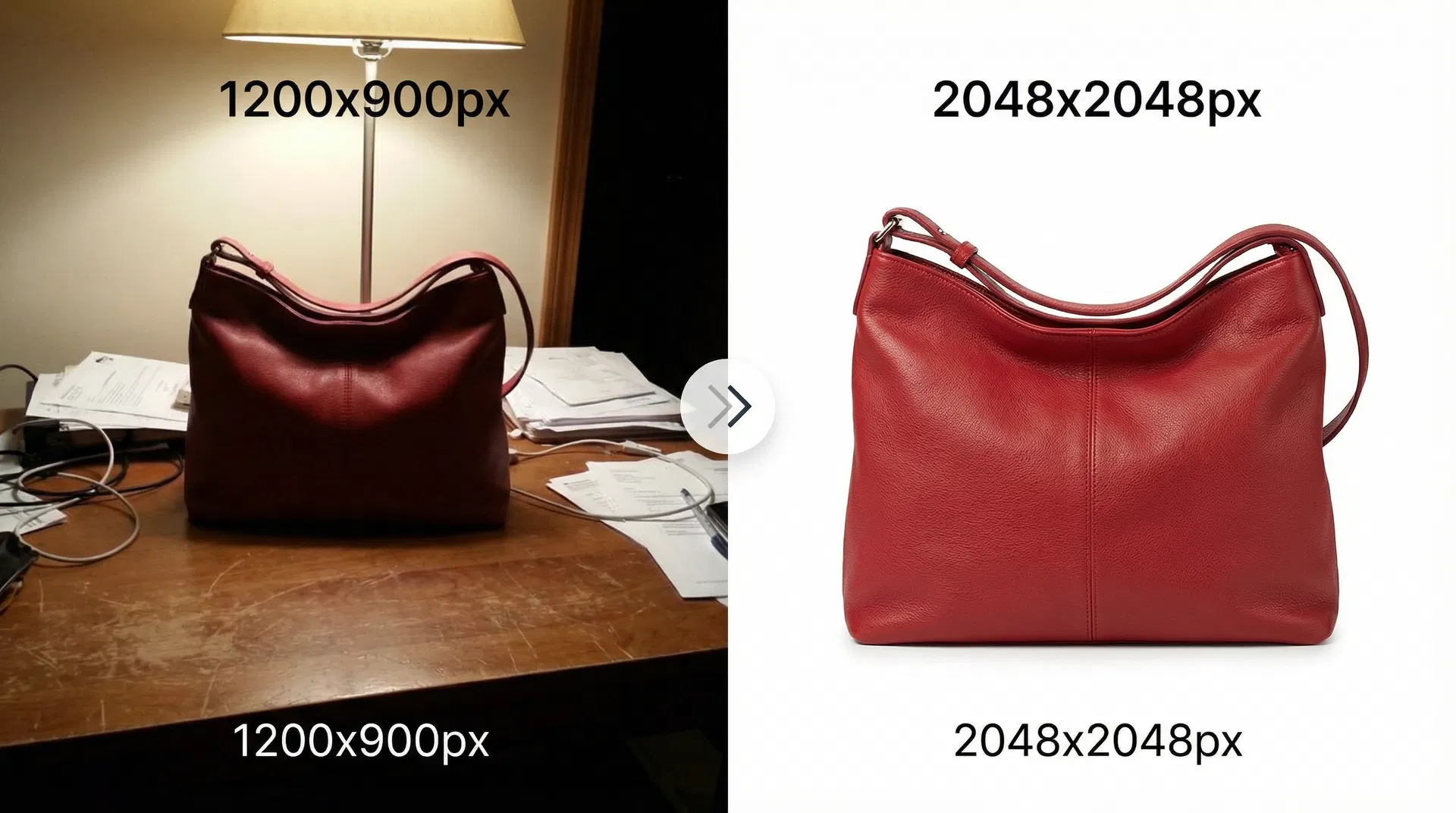
Background removal tools provide the flexibility to create both white-background and styled-background versions of your product photos from a single photoshoot. The workflow is straightforward:
- Photograph your product in any setting with reasonable lighting
- Use an AI background removal tool to isolate the product
- Place the isolated product on a pure white background for your primary listing image
- Create styled versions with complementary backgrounds for additional listing photos
This approach is particularly valuable for sellers with large catalogs who need consistent, professional imagery without the time and expense of multiple photoshoots per product.
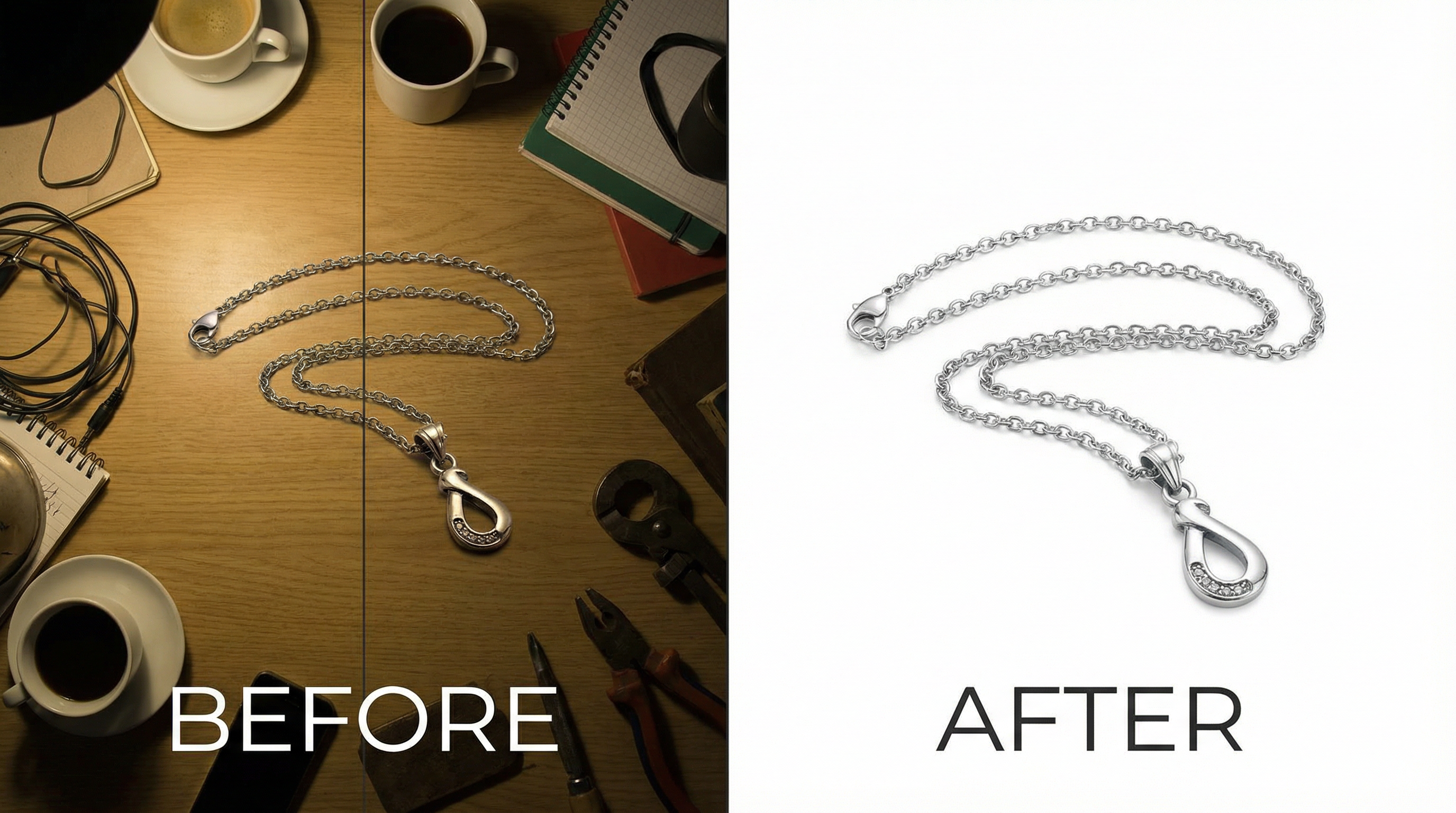 Before and after: AI background removal transforms a cluttered desk photo into a clean, professional product image ready for Etsy
Important reminder: If you use a background removal tool that outputs transparent PNGs, you must add a solid background color (white or otherwise) before uploading to Etsy. Transparent areas display as black on Etsy listings, which will make your product look unprofessional.
Optimizing Etsy Photos for Search and Conversions
Meeting Etsy's technical requirements is the baseline. Optimizing your photos for maximum search visibility and conversion rates requires attention to several additional factors.
File Naming for SEO
Etsy's search algorithm considers image file names as a ranking signal. Instead of uploading files named "IMG_4521.jpg" or "photo_final_v3.png," rename your files with descriptive, keyword-relevant names before uploading:
- Good:
handmade-sterling-silver-moonstone-ring.jpg - Good:
vintage-leather-journal-brown-a5.jpg - Bad:
IMG_4521.jpg - Bad:
product-photo-1.png
Use hyphens to separate words, keep filenames lowercase, and include your primary product keywords. This small optimization takes seconds per image but contributes to your listing's overall SEO signal.
Alt Text Best Practices
Etsy automatically generates alt text from your listing title, but you can customize it for each image. Effective alt text describes what the image shows in natural language, incorporating relevant keywords without stuffing:
- Good: "Handmade sterling silver ring with natural moonstone, size 7, shown on white background"
- Bad: "ring silver moonstone buy cheap handmade etsy shop jewelry"
Alt text serves two purposes: it helps visually impaired shoppers understand your images through screen readers, and it provides additional keyword signals to Etsy's search algorithm.
Image Compression Without Quality Loss
The challenge of keeping images under 1 MB while maintaining 2,000+ pixel dimensions requires effective compression. Here's a practical workflow:
- Start with the highest quality your camera produces (RAW or maximum JPEG quality)
- Edit and resize to your target dimensions (2,000–2,400 pixels on the shortest side)
- Export as JPEG at 80–85% quality — this typically reduces file size by 60–70% with minimal visible difference
- Verify the file size is under 1 MB before uploading
If your compressed image still exceeds 1 MB, reduce the quality setting to 75% or slightly decrease the pixel dimensions. The visual difference between 85% and 75% JPEG quality is negligible for product photography, but the file size reduction can be significant.
For sellers processing dozens or hundreds of product images, batch compression tools save hours of manual work. Upload your full-resolution images, set your target quality and dimensions, and download optimized versions ready for Etsy.
Color Profile: sRGB Is Required
Etsy converts all uploaded images to the sRGB color profile. If your camera or editing software saves images in Adobe RGB, ProPhoto RGB, or CMYK color spaces, the colors will shift when Etsy converts them—often appearing duller or with incorrect hues.
To prevent color surprises, always convert your images to sRGB before uploading. In Adobe Photoshop, use Edit → Convert to Profile → sRGB IEC61966-2.1. In Lightroom, ensure your export settings specify sRGB. Most smartphone cameras already capture in sRGB by default.
Common Etsy Photo Mistakes That Hurt Sales
After reviewing thousands of Etsy listings, several recurring photography mistakes consistently correlate with lower search rankings and conversion rates.
Mistake 1: Uploading Vertical First Photos
Vertical (portrait) images as the first listing photo result in heavy cropping in search results, where Etsy displays landscape-oriented thumbnails. The cropped version often shows only the middle portion of your product, cutting off important details. Always use horizontal or square orientation for your primary listing image.
Mistake 2: Ignoring the Zoom Requirement
Images below 2,000 pixels don't enable Etsy's zoom functionality. Shoppers who can't zoom in to examine product details—stitching on handmade items, gemstone clarity on jewelry, texture on pottery—are significantly less likely to purchase. The zoom feature is especially critical for higher-priced items where buyers need confidence in quality before committing.
Mistake 3: Inconsistent Image Sizes Across Listings
Mixing different aspect ratios and sizes across your listing photos creates a jarring browsing experience. When a shopper scrolls through your images, inconsistent sizing causes the layout to jump and shift, which feels unprofessional. Use the same dimensions and aspect ratio for all photos within a single listing.
Mistake 4: Over-Compressed Images
Aggressive JPEG compression (below 60% quality) introduces visible artifacts: blocky areas, color banding, and loss of fine detail. These artifacts are especially noticeable on product photos with gradients, subtle textures, or fine patterns. Stay at 75–85% JPEG quality for the best balance of file size and visual quality.
Mistake 5: Not Testing on Mobile
Over 60% of Etsy traffic comes from mobile devices. Photos that look sharp on a desktop monitor may reveal problems on smaller screens: text overlays become unreadable, small products disappear in busy backgrounds, and fine details vanish entirely. Always preview your listing on a smartphone before publishing.
Step-by-Step Workflow: Preparing Photos for Etsy
This workflow produces Etsy-optimized images consistently, whether you're photographing one product or processing an entire catalog.
Step 1: Capture at Maximum Quality
Shoot in RAW format if your camera supports it, or at maximum JPEG quality. Use natural light or a simple two-light softbox setup. Photograph against a clean background—white seamless paper for clean shots, or a styled surface for lifestyle images.
Step 2: Edit for Accuracy
Adjust white balance to ensure accurate colors (critical for sRGB compliance). Correct exposure so the product is well-lit without blown-out highlights. Crop to your target aspect ratio (4:3 landscape or 1:1 square recommended).
Step 3: Remove or Replace Backgrounds (If Needed)
If your original background is cluttered, inconsistent, or doesn't match your brand aesthetic, use a background removal tool to isolate the product. Replace with a clean white background for your primary image, and create styled variations for supplementary photos.
Step 4: Resize and Compress
Resize to 2,000–2,400 pixels on the shortest side. Export as JPEG at 80–85% quality. Verify the file is under 1 MB. Convert to sRGB color profile if not already set.
Step 5: Rename Files
Replace camera-generated filenames with descriptive, keyword-rich names using hyphens between words. Keep filenames lowercase and relevant to the product.
Step 6: Upload and Adjust Thumbnails
Upload to your Etsy listing and use the thumbnail adjustment tool to verify your product appears correctly in all three crop formats (square, landscape, portrait). Reposition if needed to keep the product centered in every view.
Etsy Photo Requirements vs. Other Marketplaces
If you sell on multiple platforms, understanding how Etsy's requirements compare to other marketplaces helps you create images that work everywhere with minimal rework.
| Requirement | Etsy | Amazon | Shopify | eBay |
|---|---|---|---|---|
| Min. dimensions | 635 px (2,000 recommended) | 1,000 px (2,000 recommended) | 800 px (2,048 recommended) | 500 px (1,600 recommended) |
| Max. file size | 1 MB | 10 MB | 20 MB | 12 MB |
| Formats | JPG, PNG, GIF, SVG, HEIC | JPG, PNG, GIF, TIFF | JPG, PNG, GIF, WebP | JPG, PNG, GIF |
| White background required | No (recommended) | Yes (main image) | No (recommended) | No |
| Transparent PNG | Displays as black | Not recommended | Supported | Supported |
| Max photos per listing | 10 | 9 | Unlimited | 24 |
| Video support | 1 video (15 sec) | 1 video (45 sec) | Supported | 1 video |
The practical takeaway: if you optimize your images for Etsy's specifications (2,000+ pixels, under 1 MB, JPEG format, sRGB color profile), they'll meet or exceed the requirements for every major marketplace. The only adjustment needed for Amazon is ensuring a pure white background on the main image.
Frequently Asked Questions
What is the best image size for Etsy listings in 2026?
The best image size for Etsy listings is 2,000 x 2,000 pixels or larger in either square (1:1) or landscape (4:3) orientation. This size enables Etsy's zoom functionality, displays sharply on all devices, and meets the platform's recommended specifications. Images at 2,000–2,400 pixels on the shortest side consistently outperform smaller images in click-through rates and conversion metrics.
Does Etsy require white backgrounds for product photos?
No, Etsy does not require white backgrounds. Unlike Amazon, Etsy allows creative freedom with backgrounds, including styled surfaces, lifestyle settings, and solid colors. However, white or light neutral backgrounds are recommended for your primary listing photo because they display consistently across all devices and work well with Etsy's thumbnail cropping. Many successful Etsy sellers use a white background for their first photo and styled backgrounds for supplementary images.
Why do my Etsy photos look blurry after uploading?
Etsy compresses uploaded images to optimize page load performance. If your photos appear blurry after uploading, the most common causes are: uploading images below 2,000 pixels (which get upscaled and lose sharpness), using aggressive JPEG compression before uploading (double compression degrades quality), or uploading images in non-sRGB color profiles (which Etsy converts, sometimes affecting perceived sharpness). Start with high-resolution source images and let Etsy handle the final compression.
Can I use transparent PNG backgrounds on Etsy?
No, transparent PNG backgrounds are not supported on Etsy. If you upload a PNG with transparency, the transparent areas will display as solid black on your listing. Always add a solid background color (white, cream, or your brand color) to any transparent images before uploading to Etsy. This is a common mistake for sellers who use background removal tools—always check the final output before uploading.
How do I optimize Etsy photos for mobile shoppers?
Over 60% of Etsy traffic comes from mobile devices. To optimize for mobile: use landscape or square orientation (vertical images get heavily cropped), ensure your product fills at least 70% of the frame (small products disappear on phone screens), avoid text overlays smaller than 24pt (they become unreadable on mobile), and test your listing on a smartphone before publishing. Keep backgrounds simple so your product stands out on smaller screens.
What file format should I use for Etsy product photos?
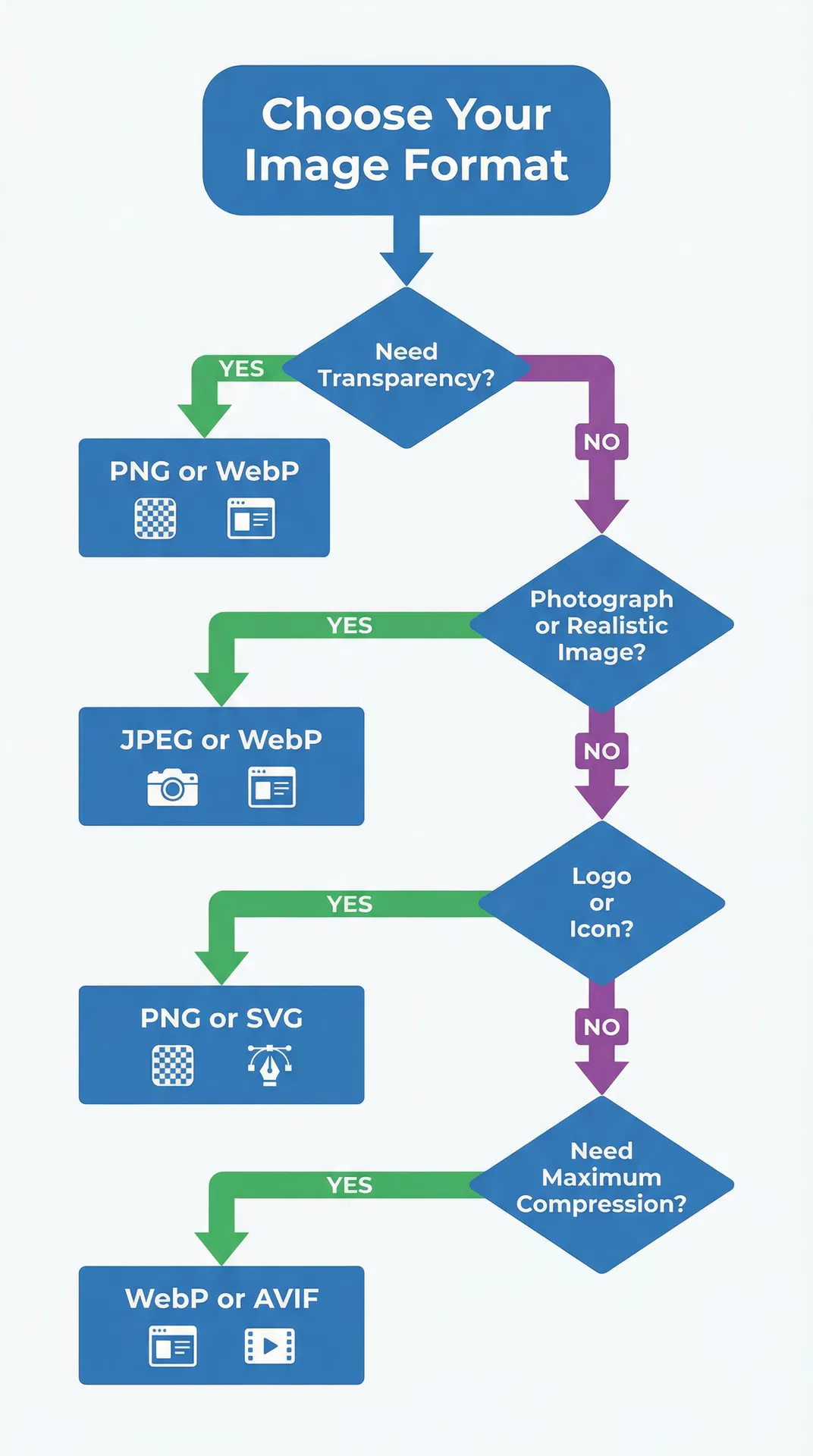
JPEG (.jpg) is the best format for most Etsy product photos. JPEG files are smaller than PNG, which helps you stay under Etsy's 1 MB file size recommendation while maintaining high visual quality. Use JPEG at 80–85% quality for the optimal balance of file size and image clarity. Use PNG only when you need lossless quality for graphics with text overlays or sharp edges, but remember that transparent PNGs display with black backgrounds on Etsy.
How many photos should I include in each Etsy listing?
Etsy allows up to 10 photos per listing, and using all 10 slots is strongly recommended. Listings with more photos consistently outperform those with fewer images. Structure your photos strategically: use your first photo as a clean, well-lit primary image; include multiple angles (front, back, side, detail); add a scale reference photo showing the product next to a common object; include lifestyle photos showing the product in use; and dedicate one photo to size charts or care instructions if applicable.
Does image quality affect Etsy search ranking?
Yes, image quality indirectly affects Etsy search ranking through two mechanisms. First, Etsy has confirmed that listings with first photos below 635 pixels may appear lower in search results. Second, Etsy's search algorithm factors in listing quality score, which includes click-through rate and conversion rate—both of which are heavily influenced by image quality. High-quality images attract more clicks and purchases, which signals to Etsy's algorithm that your listing deserves higher placement.
Start Optimizing Your Etsy Product Photos Today
Meeting Etsy's product photo requirements is the foundation, but the sellers who consistently outperform their competition go beyond the minimum specifications. They invest in high-resolution imagery, optimize file names and alt text for search, test their listings on mobile devices, and use all 10 photo slots to tell a complete product story.
If you're managing a growing Etsy shop with dozens or hundreds of products, manual photo optimization becomes a significant time investment. Tools that automate background removal, batch compression, and format conversion can save hours per week while ensuring every image meets Etsy's technical specifications. Try our free background removal tool to see how AI-powered image processing can streamline your Etsy product photography workflow, or use our image compressor to batch-optimize your entire catalog to Etsy's recommended file size.
The difference between a listing that gets buried on page five and one that appears at the top of Etsy search often comes down to image quality. Start with the specifications in this guide, test your results, and iterate based on what converts best for your specific product category.